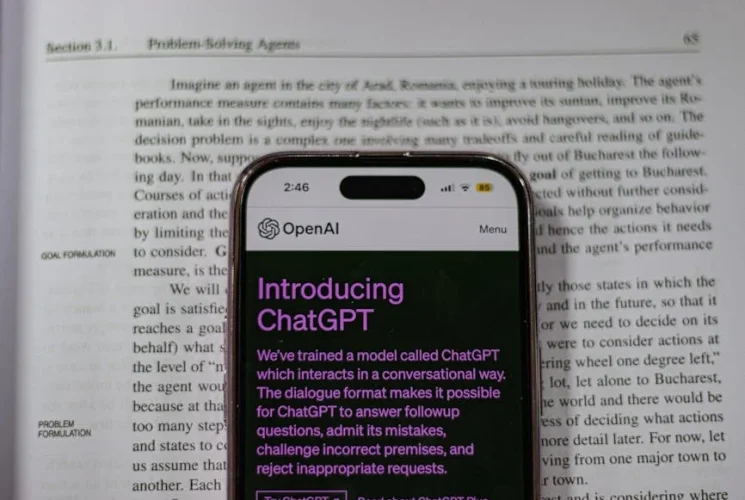
From the moment a content creator sits down with an idea to the last crunch before publishing, the clock keeps ticking. In a world where readers expect fresh, SEO‑friendly content daily, the pressure to produce quickly without sacrificing quality is fierce. Enter AI tools—resilient assistants that can draft, edit, optimize, and even create visual assets in a fraction of the time. 🤖
“The biggest productivity win isn’t about working harder; it’s about working smarter with the right tech.”
The Productivity Gap in Content Creation
Modern creators juggle multiple roles: strategist, researcher, writer, editor, and analyst. Traditional workflows often involve tedious, repetitive tasks—searching keyword trends, drafting outlines, polishing copy, and searching for suitable images. Each of these steps can consume hours that better spend on ideation and engagement. AI, armed with natural‑language understanding and machine‑learning, bridges this gap by:
Automating data collection and trend spotting
Drafting first‑pass content from prompts
Suggesting context‑aware edits and SEO tweaks
Generating or sourcing images and videos in seconds
The result? A smoother, faster, and less stressful content pipeline.
“If your content calendar is lagging because you’re drafting manually, AI is the leveler that brings you back on track.”
Quick Research with AI‑Powered Analytics
The first constraint for any article is relevant, up‑to‑date information.
Prompt‑Based Data Mining
Craft a concise prompt—“Provide the top 5 trends in sustainable fashion for Q2 2025”—and specialize the query to yield bullet points, dates, and key statistics in a cloneable list.
Trend Analysis Automation
Tools like AnswerThePublic or SEMrush can now be paired with GPT‑powered wrappers to generate nuanced FAQ sections automatically, grounded in real search intent data.
Turning Ideas into Drafts
Once research is ready, the next hurdle is the first draft. AI writing assistants can translate an outline into a fully fleshed paragraph, or quickly flesh out the “hook” and “closing call‑to‑action” for a blog post.
Prompt Engineering Tips
Be Specific: “Write a 200‑word LinkedIn post about AI in education for a non‑technical audience.”
Use Structure: “Draft an introduction, three body sections, and a conclusion on digital marketing automation.”
Iterate: Feed back edits to refine the output in real time.
Voice & Tone Adaptation
Model training allows AI to mimic brand voice, formal or casual tones, and even adopt regional vernacular, ensuring the copy feels native to the target demographic.
Polishing: The Editing AI Edge
Even the sharpest drafts can benefit from a second layer of review. AI editing tools can:
Detect grammatical errors and offer rewrites
Suggest contractions or synonyms to reduce word count
Flag passive voice, overly long sentences, and jargon
Add SEO keywords organically while respecting readability
“Drafting may be quick, but polishing is what separates good from great—AI makes polishing consistent.”
Visuals: One Tool, Unlimited Creativity
Content isn’t just words. AI‑based design platforms generate images, memes, infographics, and even short videos on demand.
Image Creation: Platforms like Canva’s Magic Write or DALL‑E can produce brand‑aligned illustrations tailored to your article’s theme.
Video Automation: Lumen5 or Pictory transform blog posts into engaging videos, ready for YouTube or social channels.
Collaboration & Seamless Workflow Integration
The greatest productivity gains come when AI tools integrate with your existing tech stack—content calendars, CMS, project management tools, and analytics dashboards.
Project Management Automation
Automated reminders, status updates, and content approval loops can run in Trello, Asana, or Monday.com via AI bots, eliminating manual checks.
Centralized Feedback Loop
AI triages comments or critiques from editors, summarizing them into actionable bullet points that can be synced back to a Google Doc or CMS.
Real‑World Wins: Mini Case Studies
Creator
Challenge
AI Intervention
Result
Freelance blogger “FitWithMia”
Agency “BrightPixels”
Educational platform “LearnTech”
Freelance Blogger “FitWithMia”
Challenge: Struggled to publish weekly posts due to research bottlenecks. AI: Used ChatGPT to generate outlines and quick drafts; AnswerThePublic for trend data. Result: Doubled posting frequency within two months, increased traffic by 35%.
Agency “BrightPixels”
Challenge: Needed to deliver 10+ client blogs per week. AI: Leveraged Jasper for bulk drafting and Surfer SEO for on‑page optimization. Result: Cut client hand‑off time by 40%; maintained SEO rankings.
Educational Platform “LearnTech”
Challenge: Created 30+ video courses each semester. AI: Employed Pictory to convert scripts into engaging videos; automated subtitle generation. Result: Reduced production time from 10 days to 3 days, saving 30% on studio costs.
Tools & Resources
Category
Tool
Key Strength
Free Tier
Writing & Drafting
ChatGPT
Versatile, context‑aware
Yes
Prompt‑Based Writing
Jasper
Prompt templates, brand voice
Partial
SEO Optimization
Surfer SEO
Data‑driven keyword focus
Limited
Grammar & Style
Grammarly
Real‑time feedback
Yes
Visual Creation
Canva
Drag‑drop AI design
Yes
Video Production
Pictory
Auto‑editing and subtitles
Limited
Research
AnswerThePublic
Trend‑centric question mapping
Yes
Project Management
Asana
AI workflow suggestions
Yes
Getting Started: Your 3‑Step AI Playbook
Audit Your Workflow
Map each content stage—ideation, research, drafting, editing, publishing, promotion. Identify pain points where time is wasted.
Select Your AI Companion
Pick one or two tools that align with your biggest bottleneck: research engines for data, AI writers for drafts, or editors for polish.
Iterate & Refine
Treat AI as an assistant, not a replacement. Feed feedback, tweak prompts, and integrate gradual automation until the workflow feels seamless.
“Every time you replace a manual step with AI, you’re re‑investing the saved hours into strategy and creativity.”
By embedding AI at each content stage, creators gain the time and focus they need to produce higher quality material, engage deeper with audiences, and scale sustainably.
⭐ Trusted by 5,000+ marketers and founders who apply these strategies to grow faster.