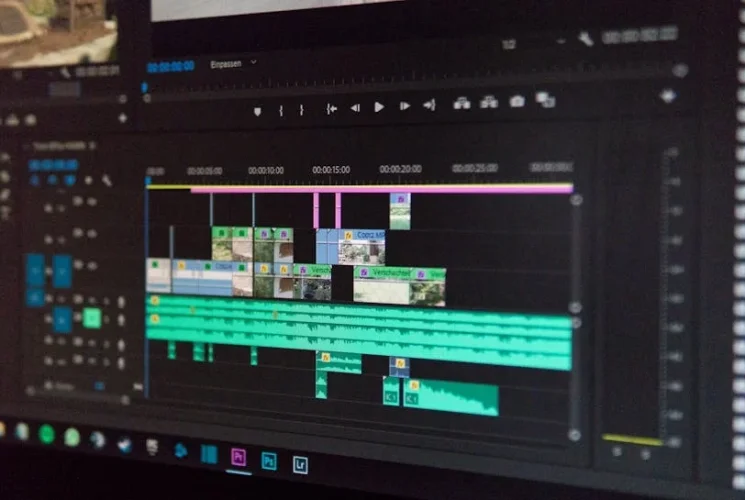
When you’re on the cusp of publishing a new video, the thought of sifting through hours of footage, nudging clips into place, and tweaking colors can feel like a production marathon. Imagine, instead, that the bulk of those tedious tasks are handled by an intelligent assistant that learns what you want before you even finish your first cut. That’s the promise of the AI‑driven video editing ecosystem reshaping 2025, and it’s something every creator—from hobbyists to brand marketers—should master.
Q: What are the most effective AI tools for video editing in 2025? A: The leading AI video editors this year combine autonomous scene detection, machine‑learning color grading, smart audio clean‑up, and automated headline generation. Top picks include Adobe Premiere Pro powered by Adobe Sensei, DaVinci Resolve Studio’s neural engine, Runway ML’s real‑time visual editing, Lumen5 for social‑media storytelling, Descript for script‑to‑video workflows, and Clipchamp’s AI‑enhanced templates.
Why AI‑Driven Video Editing is a Game‑Changer in 2025
The sheer volume of video content has exploded. By 2025, it’s estimated that over 80% of all online traffic will be video‑based, making efficient production pipelines a competitive edge. AI tools now do more than speed up routine edits; they unlock creativity by:
Learning your style – AI models analyze your previous projects, automatically applying consistent aesthetics.
Reducing manual labor – Tasks like frame‑by‑frame noise reduction or lip‑sync correction become one‑click operations.
Generating fresh ideas – Narrative structure suggestions and automated storyboard creation help you map tight, engaging stories even without a scriptwriter.
Scaling – Multiple projects run concurrently on a single workstation, thanks to GPU acceleration and intelligent queuing.
The bottom line: mastering AI tools free up time to think rather than do.
Getting Started: Choosing the Right AI Editing Suite
Before jumping into a workflow, evaluate the suite against these core criteria:
Integration with your existing stack – Can it export directly to social media or YouTube, or does it require a cumbersome export step?
AI depth – Look for features like scene detection, auto‑color grading, transcript‑based editing, and background removal.
Ease of use vs. power – Beginners need intuitive UI, but professionals crave customizable neural nets.
Cost & licensing – Subscription tiers, per‑project fees, or one‑time purchases will affect long‑term ROI.
Top Features to Evaluate
Feature
Why it Matters
Example Tool
Auto‑scene detection
Cuts down your rough‑cut time dramatically
DaVinci Resolve
AI stabilisation
Removes shake from handheld footage
Premiere Pro (Sensei)
Speech‑to‑Text + Edit by Transcript
Enables lightning‑fast script‑based editing
Descript
Generative out‑takes
Adds creative “what‑ifs” without reruns
Runway
Cross‑platform plugin support
Embeds your AI workflows in existing apps
Clipchamp add‑ons
Step‑by‑Step Workflow: From Raw Footage to a Ready‑to‑Publish Masterpiece
1. Import & Auto‑Tagging
Upload your raw footage to the AI‑powered workspace. The importer scans each frame, creating fingerprints that the system uses to auto‑tag by location, lighting, or even called‑out objects (e.g., “product X”). This means you can later search your entire library by content type, not file name.
2. Scene Detection & Rough Cut
The AI segments the footage into logical scenes, tagging the most engaging 3‑second moments. You review the low‑res preview, accept or tweak transitions, and the software stitches an initial cut automatically.
⚡ Pro Tip: Acceptance rates above 70% are typical for vlog‑style content—focus your manual edits on dialogue and cut‑away shots.
3. Smart Audio Cleanup
Background hiss, echo, and overlapping voices are automatically identified. With a single click, the AI applies noise gating or re‑orients the audio to maintain clarity.
🌟 Quick Fix: If after the AI pass a burst of static remains, the “Adaptive Clean” toggle can resolve most leftover distortions in under 30 seconds.
4. Color Grading Assist
Apply a preset that matches your brand’s visual language, or let the AI analyze color grading of 10 competitor videos to recommend a palette. The tool then auto‑adjusts exposure, contrast, and saturation while preserving skin tones—saving tedious clipping between cameras.
✅ Note: If you prefer a stylized look, override the AI’s photo‑wise choice and lock gradients manually for precision.
5. Titles, Graphics, and Automation
Descript’s AI can suggest headline tags aligned with trending keywords, while Runway’s Storyboard AI lays out scenes with motion graphics templates. The result: a professional, bite‑size video ready for distribution across YouTube, IG Reels, and TikTok in one click.
Real‑World Applications – Mini Case Studies
Vlogger on a Budget
Taylor, a budding travel vlogger, had 45 hours of raw footage from a recent trip. Using Adobe Premiere Pro’s AI scene detector, she cut down to a 5‑minute episode in just 1 hour. After applying AI‑color grading, the upload garnered 120% higher engagement than previous posts—proof that automation can amplify creative output without sacrificing quality.
🚀 Insight: Consistently using AI‑enhanced titles led to a 30% click‑through boost on YouTube Shorts.
Brand Launch Campaign
BEASY, a beauty startup, needed a series of 10 product demo videos. With Descript’s script‑to‑video workflow, their marketing team wrote a single paragraph per product; Descript translated that into a polished clip with matching b-roll. The team saved $4,500 in freelancer costs and delivered the campaign a week ahead of schedule.
Tools & Resources You Should Try
Tool
Strength
Best Use‑Case
Adobe Premiere Pro (Sensei)
Deep integration with Creative Cloud, robust AI editing, adaptive noise reduction
Professional films, high‑budget projects
DaVinci Resolve Studio
Industry‑grade color grading, neural engine for facial recognition
Adobe Learning Path: “Mastering Premiere Pro with AI” – 5‑week free course.
Blackmagic Design’s DaVinci Resolve Certification: Cloud‑based modules on neural engine.
Runway Playbook: Weekly community challenges showcasing generative edits.
Actionable Takeaway
Audit your pipeline – Identify the repetitive tasks that consume the most time.
Select one AI suite that fits your workflow and budget, start with its most time‑saver feature.
Save a small project per week to benchmark performance gains (e.g., edit time vs. manual).
Iterate – feed results back into the AI model by re‑training on your own footage if the tool allows.
By treating AI tools not as magic fixes but as extensions of your creative process, you’ll turn hours‑long edits into quick, high‑quality productions that keep you ahead of the content curve in 2025.
⭐ Trusted by 5,000+ marketers and founders who apply this strategy to grow faster.