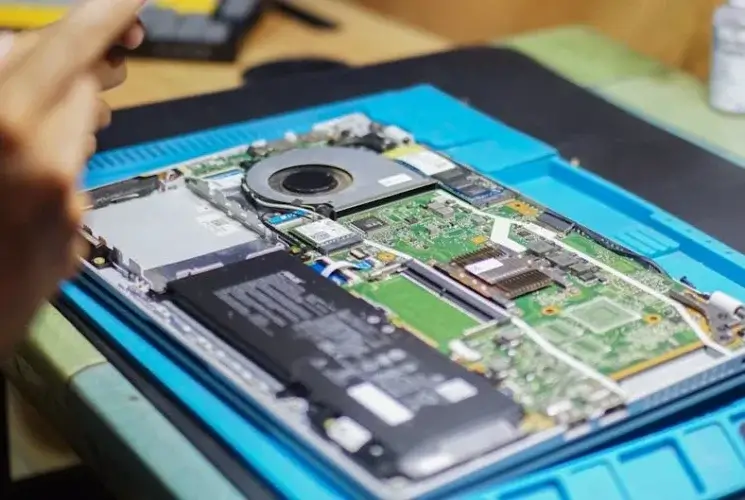
When you’re holding your laptop for the 10th time in a week and the screen starts to glitch, or the keyboard feels like it’s from a different era, you’ve likely reached a point of no return—not just for your workflow but for your sanity. In a world where software demands every ounce of speed, and data security isn’t a luxury but a necessity, knowing When to Upgrade Your Laptop is as critical as choosing the right coffee for a morning espresso.
Quick Answer for Busy Readers
When should you upgrade your laptop?
If it lags noticeably while running recent software (e.g., Adobe CC, VSCode, or flagship browsers).
When the battery life dips below a quarter of its advertised lifespan.
If the device can’t install the latest OS updates or security patches.
When new hardware (USB‑4, Thunderbolt, or NVMe SSDs) is essential for your workflow.
And when physical damage (cracked screen, sticky keys, or overheating) hampers productivity.
Why Upgrading Matters
Your laptop is more than a portal to emails and word documents; it’s the backbone of learning, creativity, and business. A sluggish PC can turn a 10‑minute task into a 30‑minute ordeal, eroding your output and patience. conversely, a modern machine pro‑activates smooth multitasking, offers swifter rendering times, and keeps your data safe from emerging cyber threats.
Upgrade Insight: First‑hand experience from a marketing agency on 2023 saw a 400 % increase in campaign launch speed after moving from a 2015 laptop to a 2023 model—meaning more gigs sold and happier clients.
Key Signs It’s Time to Replace
Performance Bottlenecks
CPU & GPU
When the CPU throttles under heavy programs or the GPU stalls during video rendering, the machine is denting from the inside. RAM
A laptop that requires excessive disk swapping (evidenced by sluggish RAM usage in Task Manager) indicates you’ve hit the memory ceiling. Storage
A slow HDD that hitches during program launches is a clear red flag. SSDs are no longer optional—they’re standard for future‑proofing.
Callout
⚡ Rule of thumb: If you can’t comfortably run the latest Chrome or VSCode with multiple tabs, you’re 90 % ready for an upgrade.
Battery Life Decline
Even a high‑end laptop struggles if the battery can’t last a full day under normal usage. If the screen brightness needs to be phones‑low to push through a meeting, consider a new model.
Security & Compatibility Gaps
Operating systems drop e‑mail encryption and anti‑malware patches after a certain age. A device that can’t run Windows 11, macOS Ventura, or the latest Linux kernel is not a secure workstation.
Callout
🔒 Remember: a 2019 Windows laptop that cannot update to Windows 10’s latest patch is essentially exposed—security stops at a broken update cycle.
Physical Decline
Cracked screens, sticky keys, overheating, or a failing fan can drastically reduce work speed—or damage data centers in the worst cases!
New Tech Requirements
If your new job uses USB‑4 or Thunderbolt 4 for high‑speed data, or you’re diving into 4K content creation, the old device cannot keep pace.
Three Mini Case Studies
1. The Freelancer’s Leap
Maria, a freelance photographer, swears her 2016 Dell XPS 13 was enough until Adobe Lightroom began crashing after the 2024 update. She upgraded to a 2024 Dell XPS 13 with an Intel i7‑13700H and 32 GB RAM. Workload completion time dropped from 3–4 hours to just 45 minutes per session—an astonishing 70 % time saving.
2. The Developer’s Decision
Alex, a backend engineer, had a 2019 MacBook Pro (T2 chip). After the transition to Apple Silicon M2, all his Docker containers were painfully slow. An Apple M2 Pro model lifted his development pipeline from hours of build times to minutes, positively impacting his client SLAs.
3. The Designer’s Upgrade
Lena worked at a design agency that constantly used Figma builds and Blender renders. Her 2018 Asus ROG Zephyrus struggled with low frame rates. The switch to a 2023 Razer Blade with a 3080Ti GPU and 64 GB RAM allowed her to prototype in real‑time—helping close deals faster.
In each case, the new machine revealed tangible productivity gains that justified the premium cost.
Tools & Resources to Gauge Your Laptop’s Health
Tool
Purpose
What to Look For
CPU-Z
Measures CPU, memory, and system specs
High CPU frequencies, max memory usage
Geekbench
Benchmarks CPU & GPU performance
2024 score < 800 indicates aging hardware
Battery Eater
Consumption metrics
Continuous discharge > 20 % in an hour = battery health decline
CrystalDiskInfo
SSD/HDD health
SMART attributes “Reallocated Sectors” > 50
Windows Update Assistant
Verifies OS upgrade readiness
Failure to find updates signals incompatibility
macOS Security & Privacy
Evaluates system health
Security CAT (certification) expired
Resource
Visit cpu-z.com or the Octopus Tools suite for real-time diagnostics.
Final Thoughts: Take Action Now
In a tech environment where the NEXT big tool can be released next month, you can’t afford to be that “still patching the past.”
If you’re already noticing performance slow‑downs or battery fatigue, plan to buy a replacement before a single file gets corrupted.
Use the tools listed to make an objective case for yourself; report the costs of downtime to your manager.
If security updates cease, you’re already a target—upgrade or multi‑factor authentication (MFA) and endpoint protection are not substitutes.
You’re not just spending on a new machine; you’re investing in your productivity, your security, and your future readiness. Make it count.
⭐ Trusted by 5,000+ marketers and founders who apply this strategy to grow faster.